Blank chord boxes
Nut on top. Dots go on the crossings, O = open, X = muted.
Set up blank chord boxes, TAB staves and fretboard diagrams, then print or save as PDF. One sheet is one A4 page, free, no signup, no watermark.
Nothing to set up here: TAB paper is staves end to end, and the page is filled.
20 boxes, 4 across, 5 frets each, one A4 page
Nut on top. Dots go on the crossings, O = open, X = muted.
One sheet is one A4 page: the grid is measured against the paper, so nothing spills onto a second page and you never set a page count. Want a filled-in reference next to your blanks? Grab the 36-chord printable chart, or browse all 166 chord diagrams.
The sheets are line art, so the print dialog decides how they come out far more than the page does. These are the settings that leave the fret lines sharp.
The page count is not one of them. The sheet is fitted to the paper before you ever open the dialog, so one format is one page: if the dialog offers two, the scale is not at 100 percent and shrink-to-fit is scaling the last row over the edge.
| Setting | A4 | US Letter | Why |
|---|---|---|---|
| Paper | A4 210 x 297 mm | Letter 8.5 x 11 in | The preview is A4. On Letter the same sheet re-fits to the shorter page and stays one page. |
| Margins | None or 0 | None or 0 | The sheet carries its own 12 mm margin, so the page adds nothing. A default margin still prints one page, just smaller. |
| Scale | 100 percent | 100 percent | Shrink to fit scales the sheet up and can push the last row onto a second page; keep the scale at 100. |
| Background | Off | Off | The sheets are line art drawn in text colour, so they print with backgrounds off. |
A blank chord chart is a printable sheet of empty chord boxes, and teaching with a blank sheet is a different job from handing out a filled-in chart. A blank box leaves the shape for the student to write, so copying the dots becomes part of the lesson. This page prints three formats, and you set the density of each one before you print: how many boxes go across, whether a box shows four, five or six frets, and how many frets a fretboard diagram draws. How many fit on the page is not a setting: the grid is measured against A4, so every sheet prints as exactly one full page. TAB paper runs 10 staves down the page, and the fretboard diagram draws twelve to twenty-two frets with the inlays marked. Everything is line art in text colour, so a sheet costs almost no ink and prints on A4 or US Letter without scaling. Use the boxes for voicings, the staves for riffs, and the wide fretboards for scale maps. The chord wall has the filled-in version of every shape, and reading chord charts explains the dots and numbers.
Each format answers a different lesson, and each one is set up in the panel before you print. These are the ranges the tool draws, so you can plan a handout before you open the print dialog.
The sheet is the worksheet, not the answer key. Write four or five shapes into the boxes before the lesson and photocopy the page: the student fills the gaps from memory, then checks them against the chord wall, where every diagram carries fingerings and audio. The same page works as a songwriting pad. When a shape sounds good but has no name yet, sketch it into a box, then take it to the chord identifier to name it, or to the chord builder to hear it spelled out by interval.
For a full lesson plan around the neck, pair the sheets with the fretboard notes chart and the scale finder, then send students home with the song sheets that use the shapes they just wrote down.
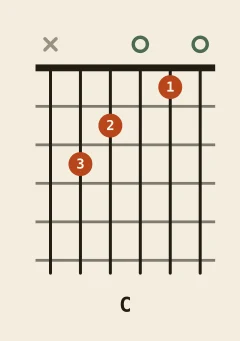
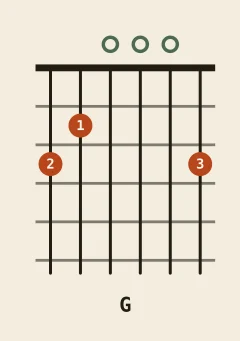
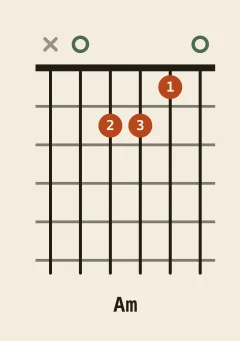
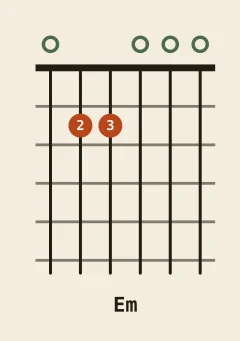
These four open chords are the usual first row of a worksheet. Print the thumbnails as a reference strip, or keep the sheet blank and let the student fill it from these.